Topics:
- About the author
- About the website
- How it all began: HTML and FrontPage
- A look behind the scenes in WordPress
- Server
- Translation
About the author:
My name is Marco van Wijk, I am 36 years old and live in the Rotterdam area. I’ve been passionate about everything related to cars my entire life. At 16, I was already working in a workshop as an apprentice mechanic. During the ten years I worked as a mechanic in VAG and BMW workshops, I completed all mechanic training courses up to level 4 technical specialist. Since 2015 I have been working as a teacher in automotive technology. In 2018 I obtained the title Bachelor of Science at HTS Autotechniek in Arnhem after completing the part-time HBO Automotive programme.
I cherish warm memories of this programme, with a lasting sense of satisfaction. After graduating from HTS, I obtained my teaching qualification by completing a post-HBO programme at Rotterdam University of Applied Sciences.
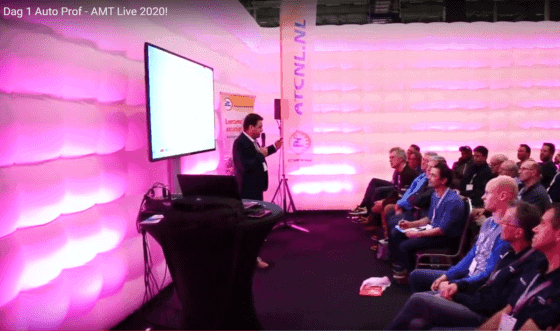
In addition to my work as a teacher and author of this website, I enjoy writing articles for AMT and you will also find me as a presenter of knowledge sessions at AMT Live.
About the website:
I started building websites in 2005. The current website dates from 2009 and originally used the domain name “marcovw.nl”. To improve recognisability, professionalism and SEO, I decided to include the context in the domain name, including my initials “MVW” (Marco van Wijk). This is how the current domain name “mvwautotechniek.nl” came into being. Over the years there have been many changes in design and content. The website now has more than 350 pages and attracts an average of 100,000 unique page views per month. I have developed and fully manage the website myself, including the design and images, and the site runs on a self‑configured VPS.
The aim of the website is to give people insight into automotive technology, with a lot of information that cannot be found elsewhere on Google, often without images and usually not in Dutch. The site is aimed at MBO levels 2 to 4, with teaching material and exam preparation, and is also suitable for HAVO/VWO students who move on to HBO mechanical engineering or automotive engineering.
I deliberately do not show any advertisements in order to keep the website clean. There are also no trackers or cookies, so a cookie notification is not necessary. The website is freely accessible to everyone, without payment or login systems. This makes it easier to obtain permission from car manufacturers to use their images, because I have no financial interests and many manufacturers support education.
If you discover any spelling or grammatical errors, please use the contact form to report them. The same applies to additions to specific topics.
How it all began: HTML and FrontPage:
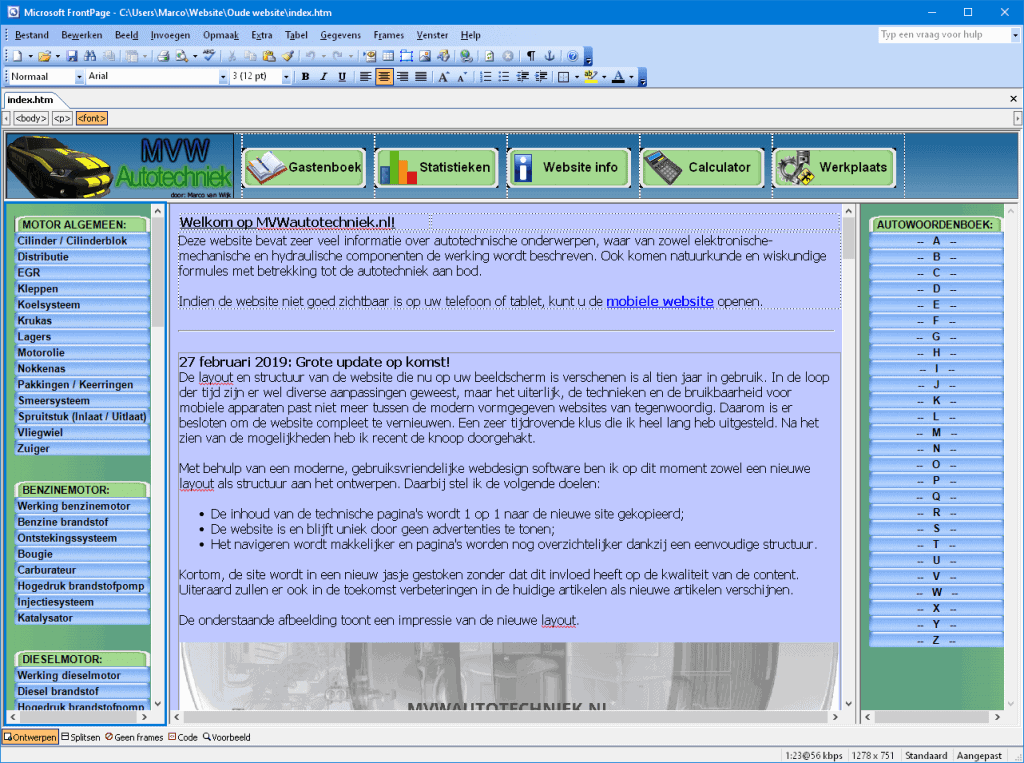
From the very first concepts up to the website that was replaced by the current version in March 2019, I used the program Microsoft FrontPage 2003. Using FrontPage I created the HTML pages that were loaded in frames. In FrontPage’s design window you could see the result of the HTML code and it was easy to place text and images.
The website consisted of four frames:
- Top (header)
- Left (menu)
- Right (dictionary)
- Middle (the content of the site)
To open the site, four separate HTML pages were loaded into the frames (index.htm). When a visitor landed on the desired page via a search engine and not on the index.htm page with the four frames, only the middle frame with the blue background was displayed.
The surrounding menus were not shown. In that case, it was not possible to navigate from the opened page using the button menus to other parts of the website.
The search function to find the desired page using search terms also ran via a complex (integrated) method through Google, and there was no mobile support, which is why a second index page had been created that visitors were automatically redirected to when they accessed the site on a phone or tablet. This often worked well, but not always. “Back then” an HTML site with frames was popular. Websites built in PHP were complex to set up and maintain as screen resolutions increased, more mobile support emerged and browsers were updated, causing certain functions to break or the proportions of the site to be off. Nowadays you hardly ever see websites that are made purely in HTML, like the site once was. The knowledge I gained from putting together my own HTML code still helps me to this day when updating the current website.
A look behind the scenes in WordPress:
The HTML-based website was completely rebuilt in the popular WordPress CMS in March 2019. Some visitors had to get used to the new navigation structure at first, but overall I received positive feedback.
Over time, based on visitor feedback, I implemented more and more changes that made navigation easier and clearer.
With the site in the modern WordPress CMS, the site has improved in many ways:
- Interface is clean and has a professional appearance;
- Easier to update articles;
- Tablet and mobile friendly (automatically adapts to the screen size);
- A change in the menu and/or interface of a page is automatically applied to all pages;
- SEO (search engine) friendly;
- Plugins enable many useful features: interactive buttons, search function, backup and security, auto‑scroll, etc.
- The website can easily be translated into other languages via AI.
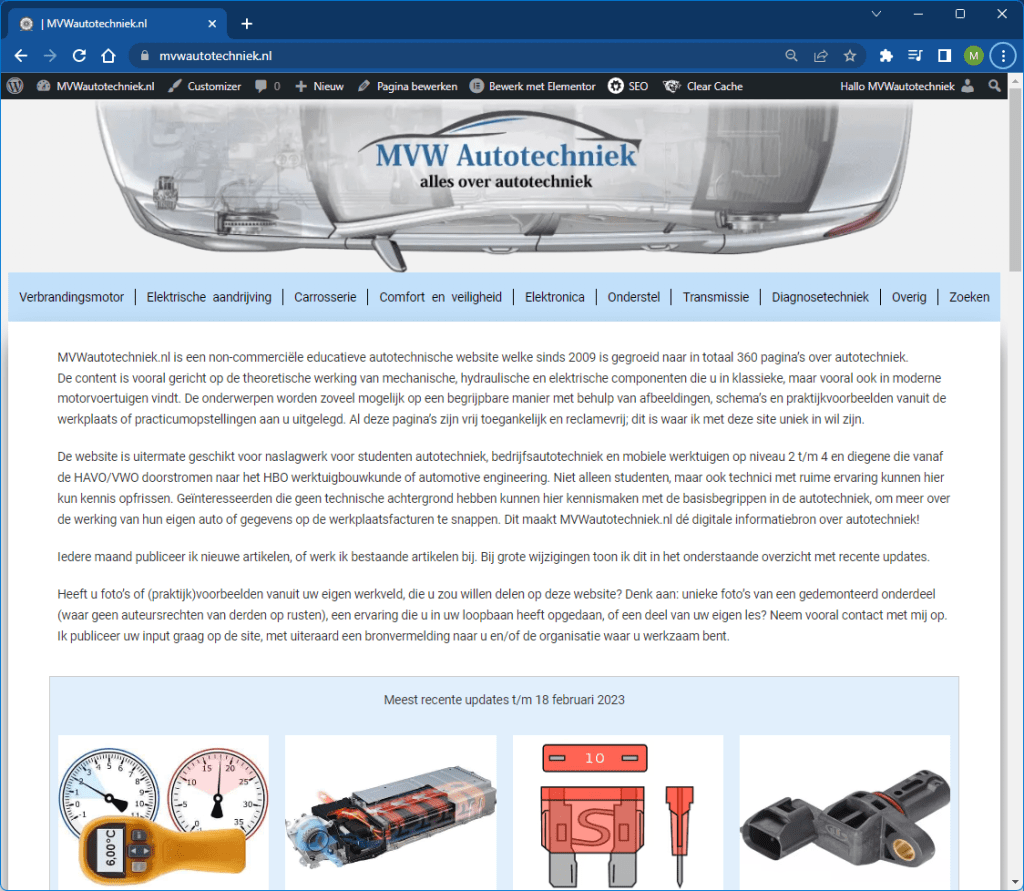
The following image shows the page overview in WordPress as I can open the site as an administrator. From this screen, all pages can be searched and edited without opening the web interface.
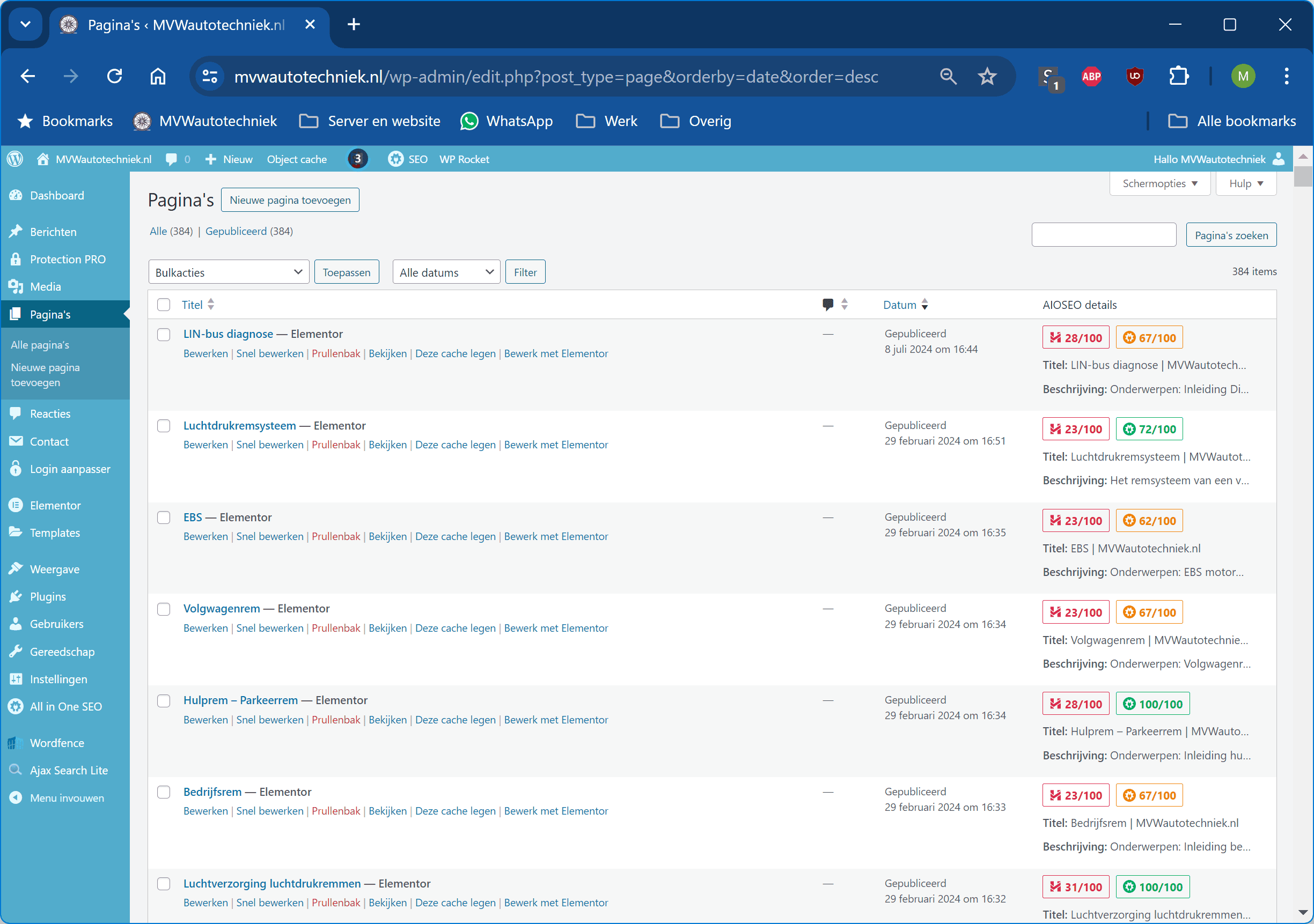
All pages on the website are created in Elementor. Web designers often criticise Elementor because it loads a large amount of code, which can cause some delay, and certain styling wishes may not be achievable. When you design a website from scratch as a web designer and the goal is to have it load super fast, I can understand that. However, I am not a web designer and I use Elementor to style the website in a way that appeals to me. The impact on the site’s speed is negligible, because I have invested a lot of time in optimising plugins, CSS, JavaScript and caching in both WordPress and at server level. More on this later.
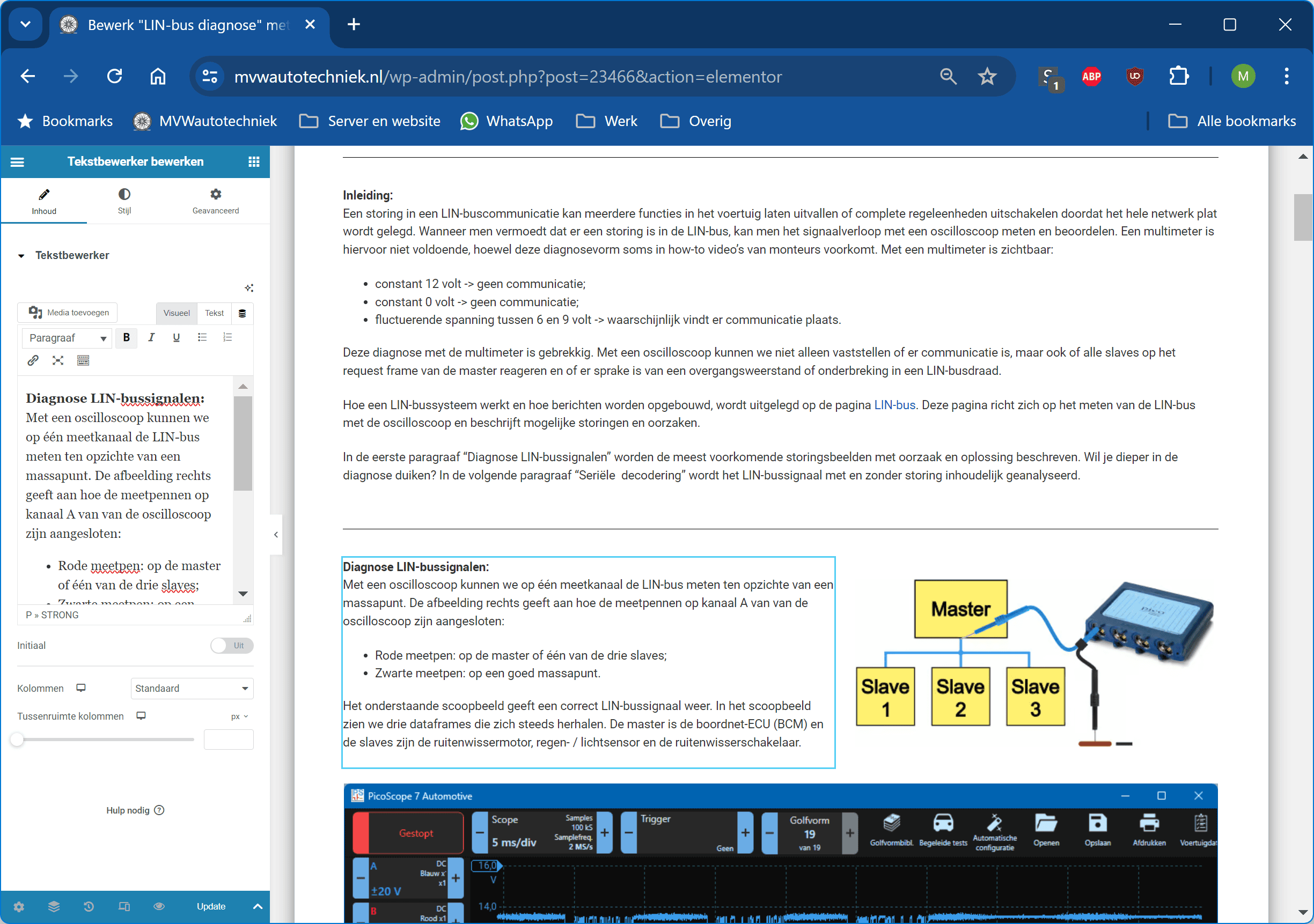
The next image shows the Elementor editor screen. On the left you see the text editor and on the right the live preview. After clicking “Update” at the bottom, the changes appear online immediately. You can also choose to save the page as a draft or private first before publishing it online.
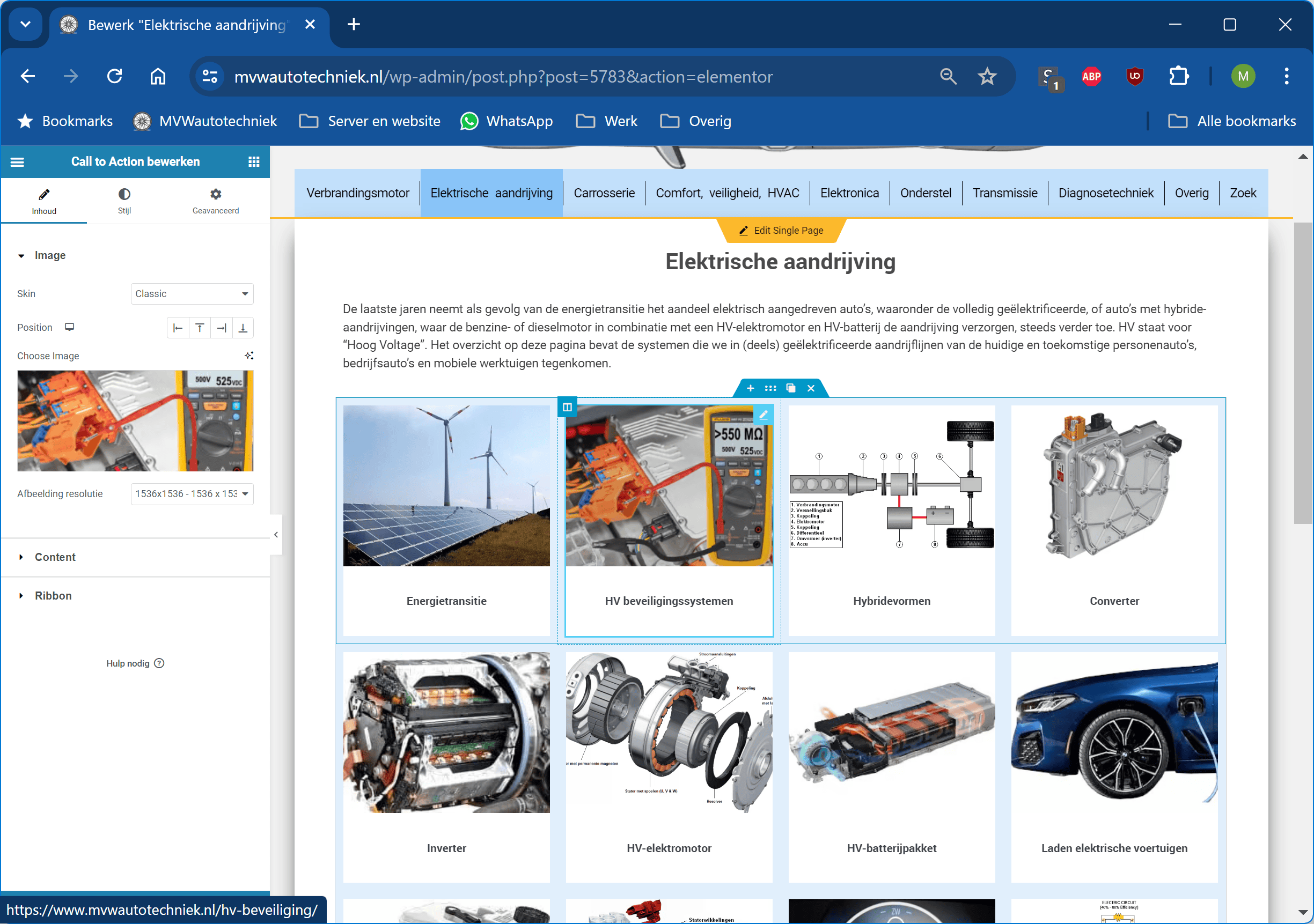
In addition to the text editor, Elementor also offers various interactive options. One of these is the so‑called “Call to Action”. This function creates an interactive button as we know from the homepage and in the categories that can be opened from the menus.
In 2021 I increasingly ran into compatibility issues with the WordPress theme I had purchased at the time. The theme was not popular and after a few years it was no longer supported. Because the theme determines the appearance of the website, switching to another theme was not easy. In January 2022 I experimented with Elementor’s page builder and the “Hello Elementor” theme. This combination offers regular updates and more customisation options than standard WordPress themes. After a day of experimenting, I decided to replace my old theme with a custom theme built in Elementor. Within a few hours the new theme was online and I refined it in the following days based on feedback.
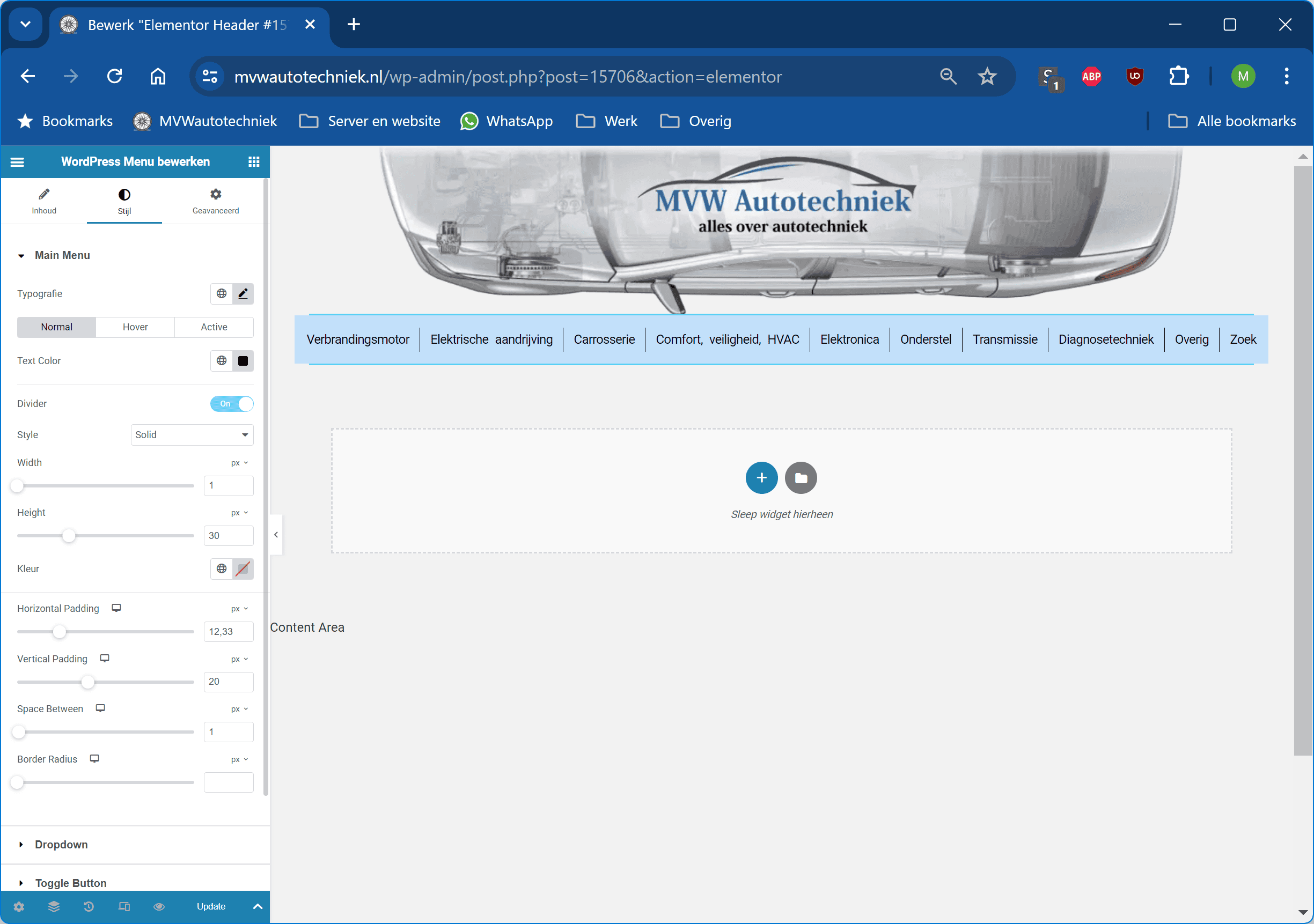
Elementor’s theme builder makes it possible to adjust every aspect of a theme, from corners and buttons to colours and animations. The configuration options are endless and offer optimal display for desktop, tablet and mobile devices. The image below shows the configuration options for the colour of the main menu.
What bothers me about other sites are pop‑ups, newsletters, notification requests and flashy ads. That’s why I use an ad blocker and keep my website free from these distractions. I choose a simple design with shades of grey and minimal decoration. The white pages with grey backgrounds and a readable font ensure that the text is pleasant to read. My site is optimised for desktop screens from 17 inches and 14‑inch laptops without the menu bar switching to tablet mode. Visitors appreciate the informative nature and user‑friendly navigation.
Server:
For more than four years my website ran almost problem‑free on my home server. In 2020 I used CentOS 8 with cPanel, later replaced by Almalinux. Twice I had to reinstall due to configuration errors that caused the server to crash. This taught me a lot about Linux and cPanel installations without a graphical interface. Even so, these crashes cost me sleepless nights. After two days of configuring the server was running well again, but I decided to host the website externally. These were my considerations:
- Costs: For a home server, you need to purchase the most expensive cPanel licence for 100 accounts, which costs as much as a VPS in a data centre with a cPanel licence for a single user.
- Backups: cPanel creates nightly backups of all accounts, but not of the server software. With a VPS the partition can be restored, including all configurations.
- Network: At home I could only link my domain to a dynamic IPv4 address. IPv6 changed every day. The external server has both IPv4 and IPv6 addresses and remains stable, even if my home IP changes.
- Hardware reliability: Although I used enterprise‑grade hardware, there was always a risk of failure. With an external server, this responsibility no longer lies with me.
A website can be hosted in two ways:
- Shared hosting: Multiple customers share one server and have no control over the server settings. Pre‑installed tools, such as PHP versions and caching options, can be activated, but the web host decides which are available and how often they are updated. Suitable for static websites with few visitors. Disadvantages are possible delays and issues when another customer on the same server has problems.
- VPS (Virtual Private Server): The customer gets an allocated part of the server with reserved resources (CPU, RAM, storage). This offers full control and prevents delays caused by other users. Suitable for demanding users.
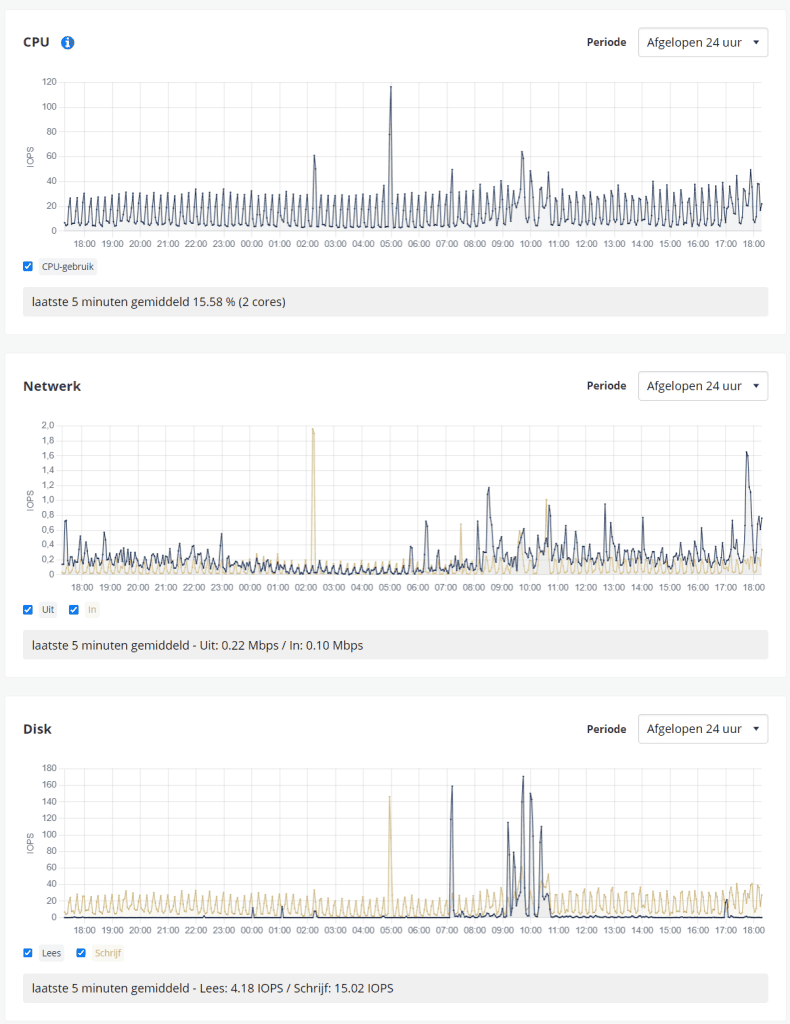
My website runs on a VPS with Almalinux 9 and cPanel, similar to my home server but now external. The VPS has two dedicated CPU cores, 4 GB RAM and 200 GB NVMe storage. For my single WordPress website this configuration is more than sufficient. Next to this you can see the server load graphs over 24 hours.
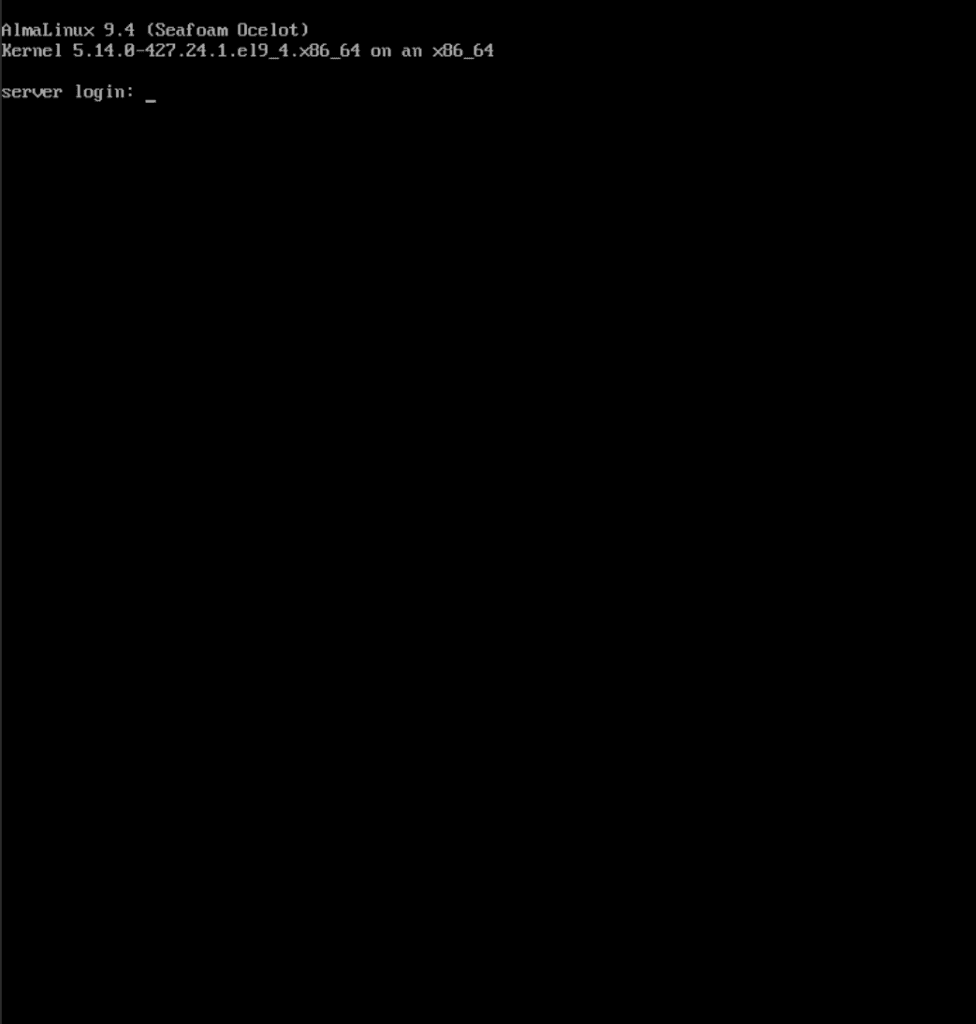
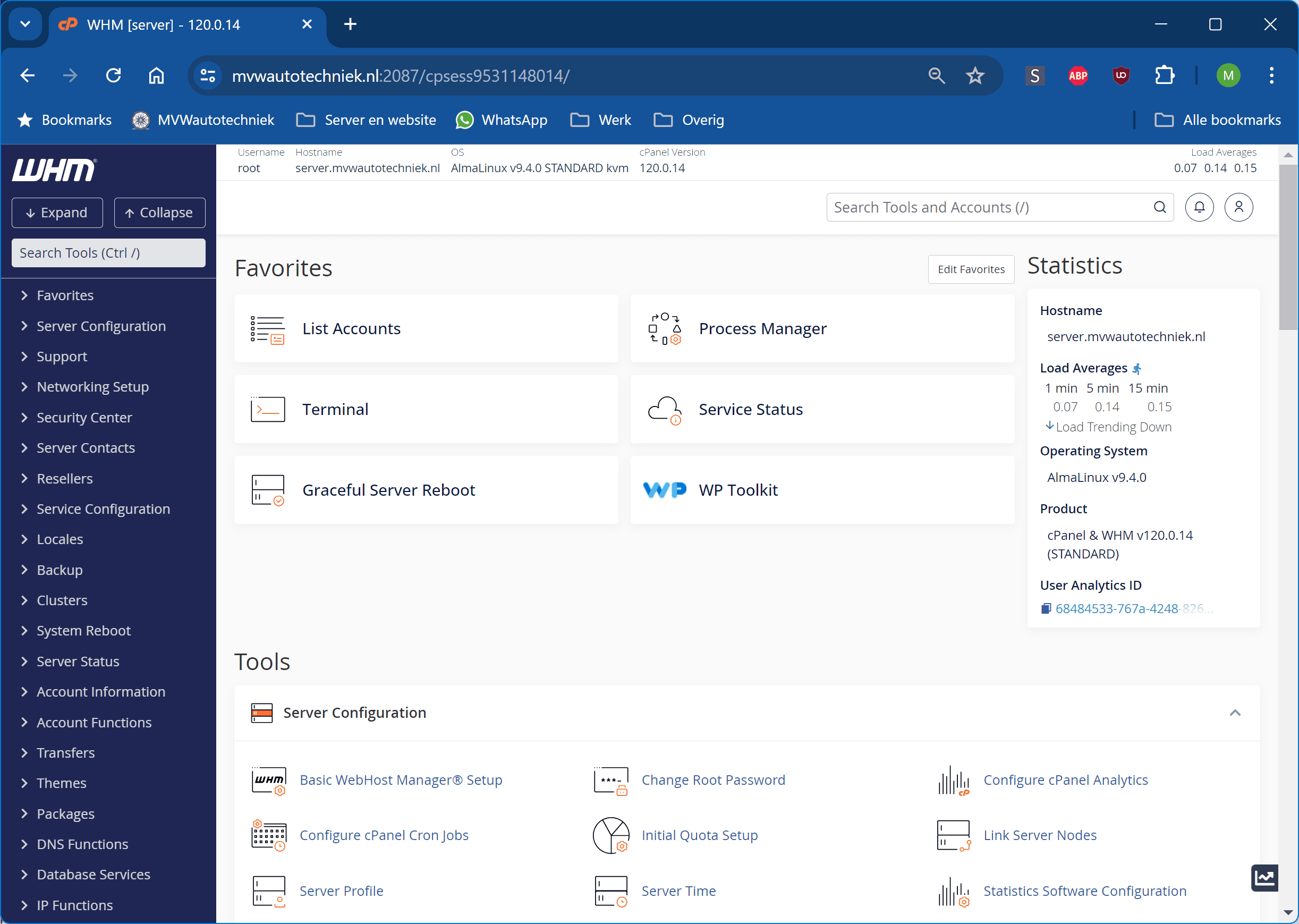
Almalinux is installed as “minimal”, without graphical elements. After installation, a black screen appears with a login prompt. After logging in, software installations and changes can be made via commands. For the web server software, cPanel is used. All server and WordPress settings are managed in the WHM control panel. Installed software includes, among others, PHP 8.5 and Redis Object Cache. The website is cached in various ways, with WordPress pages including images being loaded from the cache as HTML, and certain parts being stored in memory for faster access. This mutually tuned software and configuration make it possible for the site to be super fast, regardless of how many visitors access it at the same time.
The website is optimised by locally loading and preloading fonts, optimising images in modern file formats, optimising cache settings, disabling unnecessary plugin features so they don’t consume resources, etc.
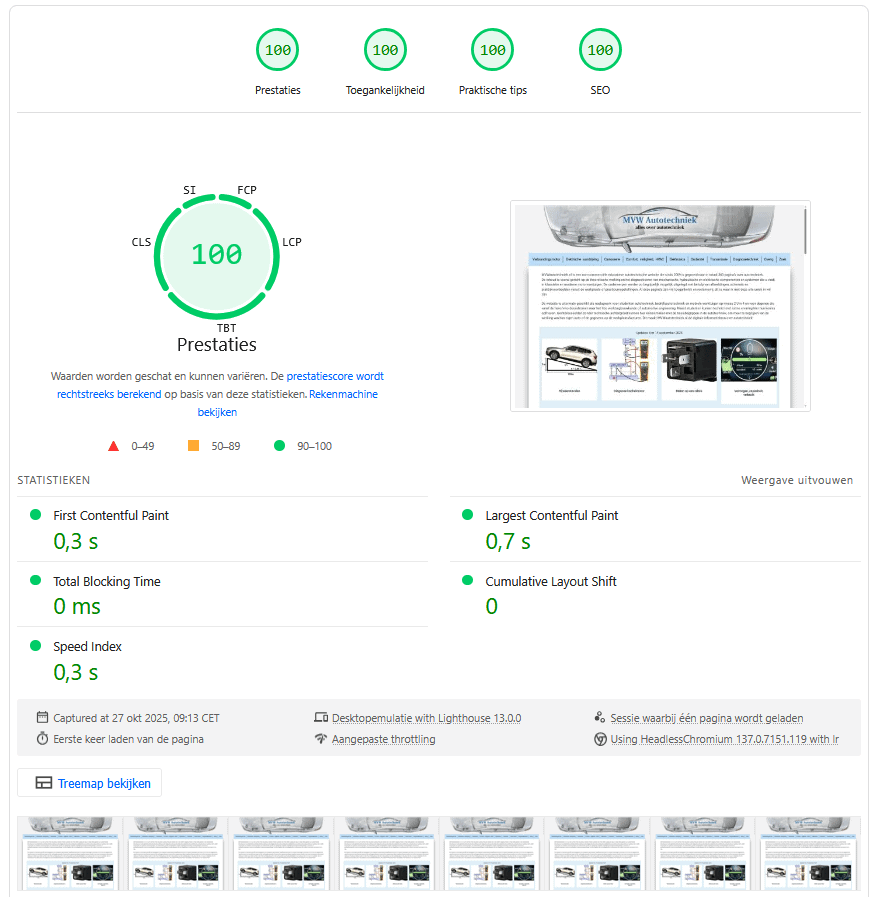
Hosting and optimising both the server and the website pays off. The site not only responds quickly while navigating, but the test results also show excellent scores. Below is the score from Google PageSpeed Insights. A score of 100 is remarkable to achieve and certainly not a given for a website like this.
Your contribution:
Do you have photos or (practical) examples from your own field that you would like to share on this website, such as a disassembled component (on which no third‑party copyrights rest), your own teaching material, or experiences you have gained in the workshop? I will gladly publish your input on the site, of course with a source reference to your name and/or the organisation you work for. Contributions from professionals support the knowledge sharing that has made this website what it is today.